Getting started
Three steps to a planned week.
Centers does not ask you when each task should happen. You describe the shape of your week once, say which parts of it each task is allowed into, and Centers works out the rest.
It takes about five minutes, and the first two steps are the only ones you will repeat.
Draw the blocks your week already has
A time block is a window you are willing to do a kind of work in — focused work in the morning, admin at the end of the day, the hour meetings actually happen. You are not scheduling anything yet. You are describing the shape of your week once, and you will rarely change it.
Blocks are listed in priority order. Where two overlap, the higher one wins the time they share.

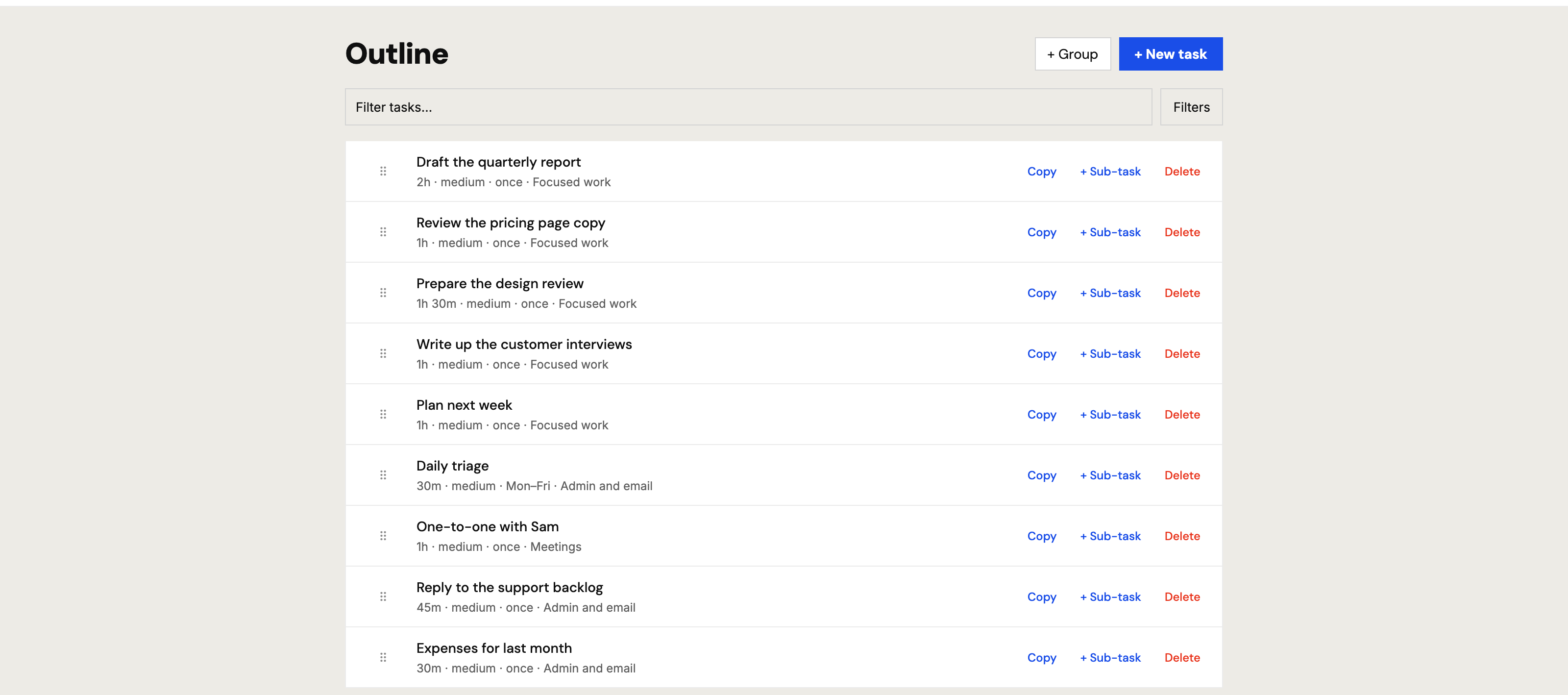
Add a task, and say which blocks it may use
Give it a name and how long it takes. Then — and this is the step everything depends on — tick the blocks it is allowed into. A task assigned to no block can never be placed, because there is nowhere it is allowed to go.
You are not choosing when it happens. You are choosing where it is allowed to happen.
Press Refresh
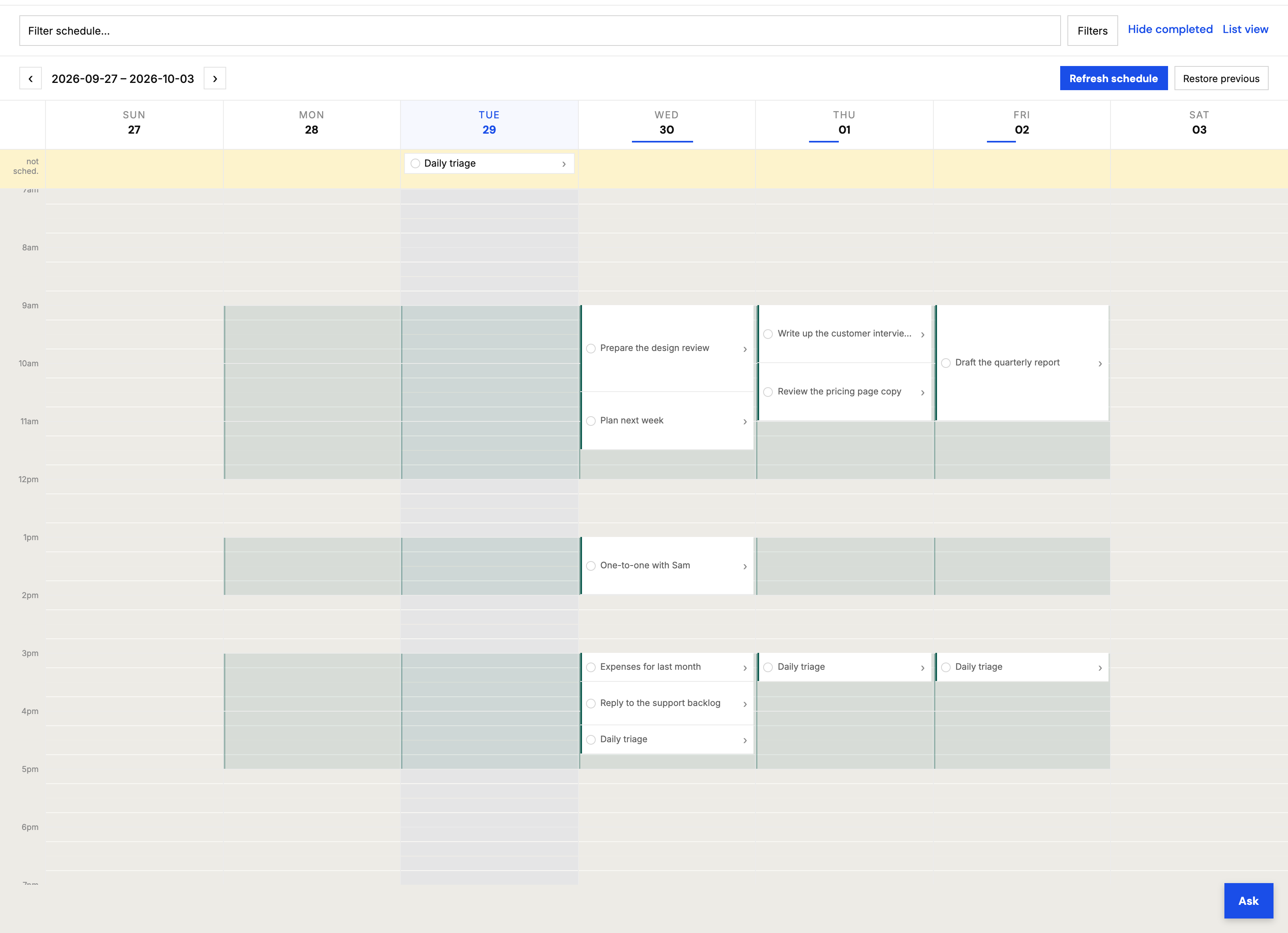
Centers fits the tasks into the blocks they are allowed into, around anything already fixed and around your calendar. That is the moment work appears on the grid. Nothing is placed until you ask for it, and asking again re-plans everything that is not finished or pinned.
Roughly four weeks are planned ahead, so a deadline three weeks out is already accounted for.
What will not fit is listed, not lost
If a task cannot be placed, it appears in a row at the top of the week instead of disappearing. That is the answer to the question every planner eventually raises — “what happened to the thing I asked for?” — and it is why you can stop checking.
The usual reasons are that a task is allowed into no block, that it is longer than any block it is allowed into, or that the week is simply full. Centers says which.
Then what?
- Complete things as you do them. What you finish becomes history; what you miss is carried, or let go, depending on what you told Centers about that task.
- Connect Google Calendar and your meetings become busy time. Centers reads it and never writes to it.
- On a team, assign a task to somebody and it arrives in their inbox — it is scheduled into their blocks, once they accept, never dropped onto their calendar by you.
Stuck? Write to info@usecenters.com and a person will answer.